Premium site plan
 $39/mo, month to month
The cheapest plan with the CMS a blog needs.
- Design it, or hire a partner to YYou
- Write and publish every page YYou
- Hosting, CMS and AI tools
 Webflow
Webflow is a pro design tool, and its blog-ready plan is $39 a month. Someone still has to run it. For $95 a month, I design, write and run your site for you.


 +100 business owners like you Premium site plan
 $39/mo, month to month
The cheapest plan with the CMS a blog needs.
Webflow $95/month
$0 to build. No contract. Cancel anytime.
 Patrick
Patrick
Patrick
Patrick
Patrick
Yes, it’s my comparison, so every Webflow fact links to where it comes from. Checked .
Webflow’s Premium site plan, its cheapest with a CMS for a blog, next to my one plan.
| What you’re comparing |  Do it yourself Do it yourself | Done for you |
|---|---|---|
 Price What the monthly bill says Price What the monthly bill says | $39 a month, billed month to month. Basic is $25, with no CMS. | $95 USD a month, billed monthly. One plan. |
 Building the site Pages, layout, photos Building the site Pages, layout, photos | You build it on Webflow’s canvas, or hire a Certified Partner. Webflow AI can draft a site from a prompt. YYou | I research your business and build it. No questionnaire. You review before launch.
Patrick
|
 Writing the words Headlines, pages, calls to action Writing the words Headlines, pages, calls to action | You write it. Webflow AI drafts copy for you to edit. YYou | Included. I write the pages, you approve them.
Patrick
|
 Changes after launch New photo, new price, new page Changes after launch New photo, new price, new page | You make them in Webflow and publish them yourself, or pay your partner to. YYou | Included. Routine edits have a 72-hour target. You can edit blog posts and FAQs yourself.
Patrick
|
 Who you talk to When you need something Who you talk to When you need something | Email support that aims to reply within 48 hours. A partner, if you hire one, sets their own terms. Webflow | Patrick, directly, by phone, text or email. No call center.
Patrick
|
 SEO Getting found on Google SEO Getting found on Google | Strong tools: meta titles, schema markup, sitemaps and 301 redirects, plus AI audits. Someone on your side fills them in. YYou | On-page SEO is included and done for you. Ongoing local SEO is a separate $995/month service.
Patrick
|
 Hosting Keeping the site online Hosting Keeping the site online | Included in the site plan, on a global CDN. Webflow | Included in the monthly price. |
 If you leave What you walk away with If you leave What you walk away with | Code export needs a paid Workspace plan. CMS content, forms and site search don’t come along. | Every file of the website, and help moving it. It’s custom-coded, so later changes need a developer. |
 Canceling When you want out Canceling When you want out | Any time, but renewals aren’t refunded, and the site goes offline when the paid term ends. YYou | An email, any time. Not happy in 30 days? You get a refund. |
 Online store Selling products on the site Online store Selling products on the site | Ecommerce plans from $42 a month, with a 2% transaction fee on that tier. | Yes, I build online stores. They’re quoted separately, not part of the $95 plan. |
Webflow is one of the best tools there is for building websites. The question isn’t whether it’s good. It’s who’s going to run it.

Webflow’s visual canvas gives designers and marketers control over every detail, and it comes with a real CMS for blog posts and other content. For a team that ships new pages every week, it’s hard to beat.
It doesn’t design, write or publish anything on its own, though. Webflow AI can turn a prompt into a site and draft copy, which speeds up the start. Someone still reviews every page, adjusts what the AI drafted and keeps the site current. Is that you?

A powerful tool, run by you or someone you hire.
I design, write and run it for you.

If you don’t want to build it yourself, Webflow points you to its Certified Partners, over 1,200 freelancers and agencies it has vetted. If you want Webflow specifically, that’s a solid route.
Partners set their own prices. The partner directory lets you filter by budget, from under $1,000 to over $100,000, and you pay for the Webflow plans on top. Changes after launch cost whatever you agree with that partner.
My price covers the design, writing, hosting and changes after launch, in one monthly bill.
Webflow plans, plus a partner’s quote.
One price for the build, hosting and edits.

Webflow’s Basic plan is “for simple sites that don’t need a CMS”, and a blog lives in the CMS. So a business that wants to publish lands on Premium: $39 a month, billed month to month, with 50 GB of bandwidth. More bandwidth costs more.
Workspace plans are a second bill. The free Workspace is enough to publish your site, but code export needs a paid one, such as Core at $28 a month. Site plans and Workspace plans are billed and canceled separately.
$39 a month for Premium, before extras.
$95 a month, blog included.
Webflow has the tools: meta titles and descriptions, schema markup, XML sitemaps and 301 redirects, with no plugins needed, plus AI audits for search engines and AI answer engines. CMS pages can even fill in their own titles from a pattern.
The tools don’t pick what each page should target or write it. Someone on your side does that, and acts on the audit’s suggestions. On my plan, on-page SEO is done for you at launch and on every page after that.
Excellent SEO tools, used by someone on your side.
On-page SEO done for you, on every page.

Webflow is more open than most builders here. On a paid Workspace plan, you can download the site’s HTML, CSS, JavaScript and images and host them anywhere, with no Webflow plan needed after that.
What doesn’t come along: CMS content, form processing, site search and password protection. Blog posts and other CMS items export separately as spreadsheets, and exported code can’t be imported back. So a move off Webflow is still a rebuild, with your content carried over.
With me, the site is yours from day one, and you get every file if you leave. It’s custom-coded, so bigger changes after that need a developer.
Static code on a paid Workspace. CMS and forms stay behind.
Yours from day one. Leave with every file.
Webflow is cheaper in cash if you run it yourself. Here are the real numbers, with the work counted separately.
| Cost | | |
|---|---|---|
| Site plan Every month | Premium, $39 a month, month to month | $95 a month |
| Design, writing and edits The work itself | Your time, or a Certified Partner’s own quote | Included |
| Code export Only if you want it | A paid Workspace plan, such as Core at $28 a month | Every file, yours from day one |
 Domain yourname.com Domain yourname.com | Connect one you own, or buy one in Webflow, sold by IONOS | You keep the domain you have, at whatever you pay for it now |
 Business email you@yourname.com Business email you@yourname.com | Not in any plan on the pricing page | Not in the plan. Your current email stays where it is. |
 $39 Plus your time, or a partner’s fee.
 Who does each job, week to week.
| The job | | |
|---|---|---|
| Building or redesigning | On Webflow’s canvas, or with a partner YYou | I build it, you review it
Patrick
|
| Writing the pages | Every page, with AI drafts if you like YYou | I write them, you approve them
Patrick
|
| Changes after launch | Edit, then publish YYou | Text or email me. Blog posts and FAQs you can edit yourself.
Patrick
|
| SEO fields and redirects | Page by page, or by CMS pattern YYou | Done for you
Patrick
|
| Plans and billing | A site plan and a Workspace plan, billed separately YYou | One monthly bill
Patrick
|
Webflow has a loyal following among designers and marketers: it scores 4.5 out of 5 on Capterra. On Trustpilot it scores 1.5, and the same four complaints come up again and again. Each one links to where it comes from.

In May 2026, Webflow merged its CMS and Business plans into Premium and changed prices. One reviewer says their plan went from $35 to $46, another says Webflow raised prices while cutting back support, and a builder says new AI credit pricing landed when a client site was 95% done. Webflow’s side: it said some customers would pay more and some less, gave existing sites until June 29, 2026 or later, and let owners lock in their old price for a year by switching to yearly billing. Running out of AI credits doesn’t trigger surprise charges.
“Pricing can also be a little difficult to determine up front, especially if bandwidth or site needs scale quickly.”
Before you sign up: Before your renewal date, run your site through Webflow’s pricing change calculator, and count bandwidth and AI credits too.

Several reviewers say an annual plan renewed and a refund was refused, that they couldn’t reach a person to ask about one, or that a refund request was denied by the system. Webflow’s side: its refund policy says new purchases can be refunded within 14 days and renewals can’t. It also says annual plans send a reminder at least 7 days before they renew.
“re-ups an annual plan with no notification, then says that their policy ‘doesn’t allow’ refunds since they already charged you.”
Before you sign up: Put your renewal date in your calendar and cancel before it if you might leave. Site plans and Workspace plans cancel separately.
Complaints describe an AI chatbot that sends people back to itself, answers that don’t solve the problem, and a week without a reply on a plan change. Webflow’s side: its pricing page says it supports customers by email and aims to reply within 48 hours.
“if you ask for a human to follow up over email, your new ticket sends you right back to the same chatbot.”
Before you sign up: Send support a small question before you commit, so you know how long answers take when something matters.

New users often say Webflow is too complex for a simple site, and one found it much harder than Wix. Even Capterra reviewers who like it call it a developers platform that’s easy to break, with a learning curve. Webflow’s side: it offers free courses at Webflow University.
“It is way too complex, the UI requires a masters degree in Webflow-navigation”
Before you sign up: Build a test page on the free Starter plan before you pay, and see whether you’d want to do that every month.



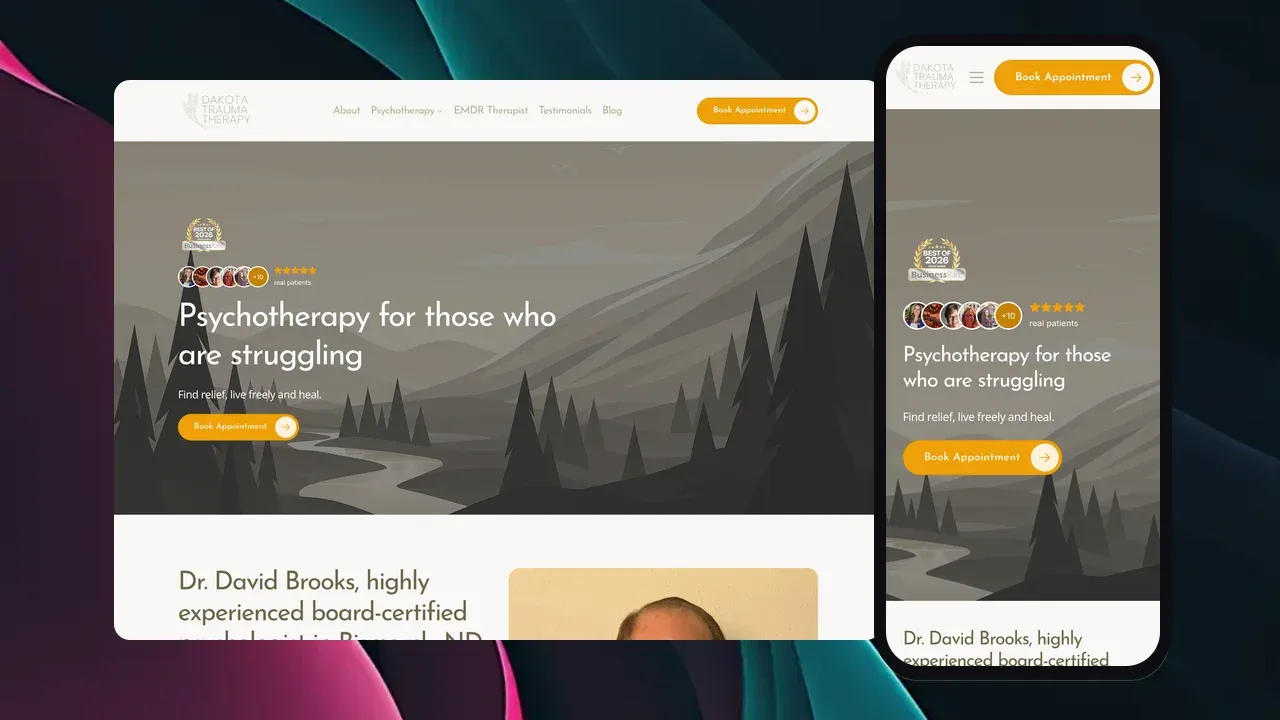
Patrick does amazingly high quality website design and production at a very reasonable cost. He is very experienced, thoughtful, creative and responds to questions and concerns in a timely manner.
 David Brooks Owner of Dakota Trauma Therapy LLC · Google review
 The goal: nobody who finds you today hits a dead end tomorrow. Here’s the order I do it in.

Before touching anything, I look at which pages bring in your visitors and leads. With your Search Console access, I protect those first.

Blog posts and other CMS items export as spreadsheets, one collection at a time. Form submissions download as a CSV too. I carry the text and images into the new site.

Webflow lets you export your existing redirects to a spreadsheet, so none get lost. Every current page then gets a permanent (301) redirect to its new address, and your business name, address and phone stay exactly the same.
Webflow doesn’t hold your domain. It’s at your registrar, or at IONOS if you bought it through Webflow. At launch I change the records that point it at Webflow, and that’s all.
Webflow plans don’t include email, so your mailboxes live somewhere else and keep working. I copy every DNS record before I change anything, and I don’t touch your email records.

Webflow forms don’t work outside Webflow, so contact forms are rebuilt and tested end to end. Bookings move to the plan’s built-in calendar booking. A store gets its own quote.

You review the new site before it goes live. Once it’s live, cancel the Webflow site plan and any paid Workspace plan, which cancel separately. Do it before the renewal date, because renewals aren’t refunded.
No build fee, no contract, no upsells. Here’s every feature the monthly price covers.
One plan, because you should not have to study a comparison table to buy a website. Every feature below is included from day one.
$95/month
$0 to build. No contract. Cancel anytime.
Your website is yours from day one.
Imagine what you could accomplish with more than just a Home, About and Contact page.
Hand-coded and served from data centers around the world, not a page builder dragging its own weight around. Fast on any phone, on any connection.
No junky stock photos or cookie cutter icons here.
Great copywriting is the difference between a website that sells and one that doesn't.
Essentially this means making it as easy as possible for Google and AI to find you.
Forms that actually convert visitors into leads.
Plain, simple, straightforward, valuable analytics anyone can read.
Local SEO requires hyper-local intent targeting. Almost every service-based business needs this!
Blogs are awesome if they are used authentically. The age of purely info-based content is over.
We can integrate your social media content directly into your website. Strategically, of course. We don't want visitors getting distracted!
Automatically add new reviews from review platforms (Google, Yelp, etc) directly into your website.
Let visitors book meetings, sessions and appointments directly through your site.
Email newsletters help turn your visitors into subscribers.
Your Privacy Policy and Terms and Conditions are generated by a specialist legal-policy service and update automatically as privacy laws change. Included, with nothing for you to maintain.
We connect your forms to the CRM you already use: HubSpot, Salesforce, Zoho and most other software that connects with outside apps. A custom system gets its own scope.
Automations that send each new lead to the right person, log it in your spreadsheets and handle the follow-up.
Not all hosting is created equal. If you want the Taco Bell of web hosting, Bluehost is waiting for you.
Changes to hours, photos, text and services are included. Routine edits have a 72-hour target; larger requests get an agreed scope and completion date.
No call centers, no offshoring, just your friendly neighborhood Patrick. Based in North America, native English speaker, and fluent in Spanish if that is easier for you.
Yes. It has meta titles, schema markup, sitemaps, 301 redirects and AI audits built in. The difference between us isn’t the tools. It’s who fills them in and writes the pages. On my plan, that’s me.
If you want a blog, Premium: $39 a month, billed month to month. Basic ($25) has no CMS, so it suits a site that never publishes posts. Code export is a separate, paid Workspace plan.
If you want to stay on Webflow, yes, that’s the right move. Certified Partners are vetted by Webflow and set their own prices, and you pay the Webflow plans on top. If you don’t care which tool the site runs on, compare their quote with $95 a month.
It can turn a prompt into a site, draft copy and suggest SEO fixes. That’s a real head start. You’d still review every page, publish it and keep it up to date.
Not as a working copy. Webflow’s code export leaves out CMS content and forms, so I rebuild the site, bring your content over from the CMS export, and redirect every old page.
Nobody can promise rankings won’t move at all. What protects them: every old page gets a permanent (301) redirect, your business name, address and phone stay identical, and I submit the new sitemap and watch Search Console after launch.
In cash, yes. Webflow Premium is $39 a month. The difference pays for someone else doing the design, writing, SEO and changes. If you or your team enjoy doing that in Webflow, Webflow is the better deal.